
Columbia County VINELink Coverage
Arkansas VINE is the state's Victim Information and Notification service. The official Arkansas VINE description credits the Arkansas Crime Information Center with running it. Coverage is broad. County jails sit alongside ADC custody. Probation and parole, post-release supervision, and court information from prosecuting attorneys are covered too.
The state publishes no county-by-county roster of participants naming Columbia County. Its own description counts county jails, though. Run the Arkansas search and let the live result speak. ISOMS remains the direct route for a county booking check. VINE earns its keep when you are tracking a known person. It can send a covered status alert.
Search VINELink for Custody
Go straight to the VINELink Arkansas portal. Labels shift as the service updates, so follow whatever prompts the screen shows. Start with the sharpest identifier you have. A common name by itself invites false matches.
- Select Arkansas and open the offender or case search offered by the live service.
- Enter a name, offender or booking number, case number, ADC number, or supervision PID as appropriate.
- Compare identifying details without relying on a photo. Check the offender number, date of birth, status, and location when shown.
- Open the matching result and read its custody category and source before registering.
- If the record is wrong or missing, call the record-owning office or VINE support.
The official Arkansas VINELink search is shown in the captured interface.
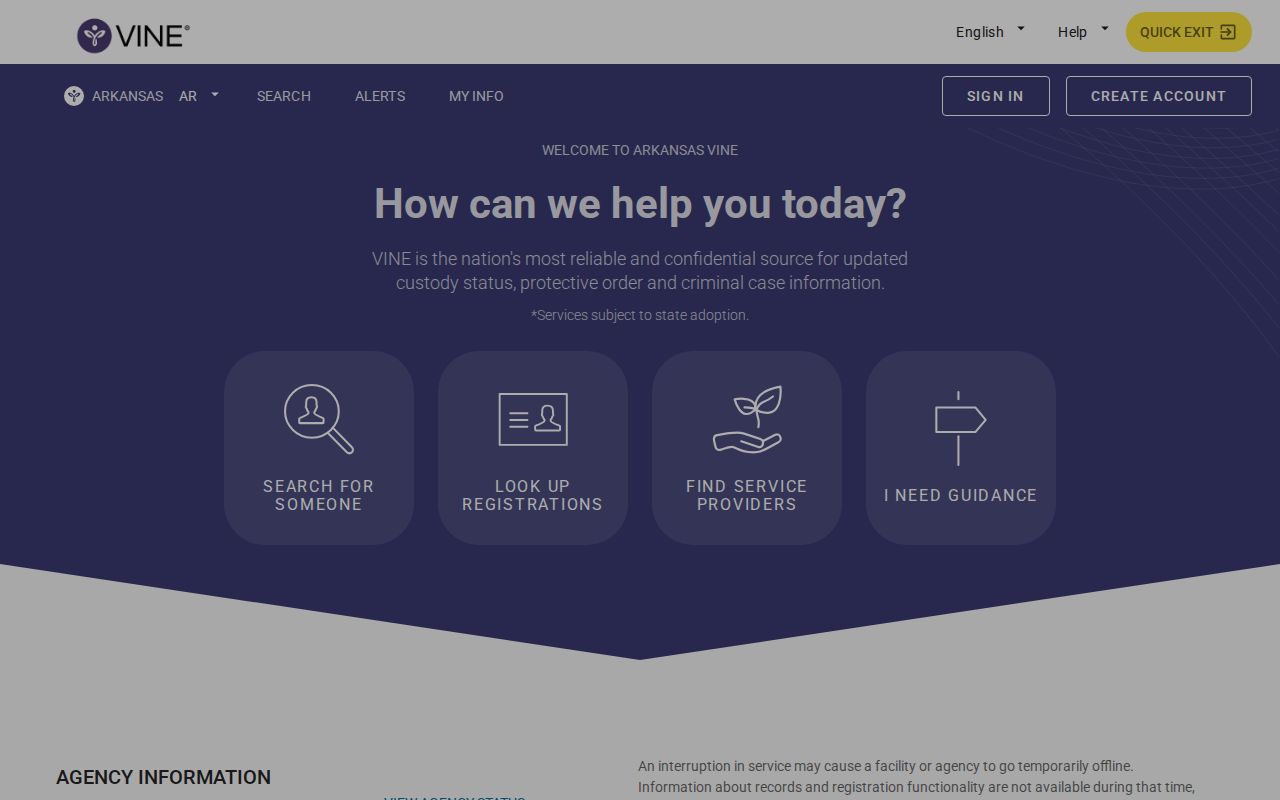
The live controls and available records can change, so follow the current on-screen labels.
VINELink Custody Result Fields
Because VINE pulls from several participating channels, a single result can carry more than the county roster shows. The exact fields depend on the record type. Each source supplies what it supplies. One missing field does not end the custody question.
| Result area | Information that may appear |
|---|---|
| Identity | Name, offender number, date of birth, or another source identifier. |
| Custody | Current status, listed location, and scheduled release date when supplied. |
| ADC | State correctional location and parole or post-release eligibility date when available. |
| Court | Event type, date, time, location, and next event. |
| Supervision | Probation, parole, or post-release type, office, and case status. |
Read these fields as status markers. A scheduled release date can move. A court event does not always mean physical custody. For public court events and outcomes, use Search ARCourts instead.
Register for VINELink Alerts
The state description calls registration free and anonymous. The service runs around the clock in English and Spanish, with a live operator on the line. Phone, email, SMS, and TTY all work. Alert options follow the matching record.
| Channel | Registration detail |
|---|---|
| Telephone | Call 1-800-510-0415, provide a reachable number with area code, and create a four-digit PIN. |
| SMS or call | After a notice, enter the PIN followed by # when prompted to confirm receipt. |
| Register through VINELink or call and press zero for an operator. Email notices need no PIN. | |
| TTY | Use the accessibility route in the live service or official brochure. |
You can register more than one phone number or email, and the same PIN covers each. Guard that PIN. These contacts exist to deliver notices, not to serve as public record-search fields. After any phone or email change, update them.
Pick from the release, transfer, court, or supervision events offered for the record. The four-digit PIN confirms receipt. It is not an inmate identifier and unlocks nothing.
Columbia VINELink Transfer Timing
The official schedule moves county-jail data every 15 minutes, day and night. ADC data travels hourly. Court information, probation, parole, and post-release data arrive once a day. These are transfer schedules, not promises that a new booking appears at an exact minute.
Do not stretch the 15-minute claim to the county's separate ISOMS portal. The Sheriff makes no matching refresh promise for ISOMS. When the two disagree, note the time each was checked. Sort out which custody state each describes. Then call the custodian.
A delayed notice can stem from source timing or bad contact info. It might also reflect an uncovered status. Or changed details might be the cause. For urgent safety decisions, never lean on an automated notice alone.
When VINELink Has No Match
First, recheck spelling and identifier type. A booking number is not an ADC number, court case number, or supervision PID. A blank result may mean timing, a different system, an unmatched identity, or custody outside the available data.
For local custody, open the Columbia County current roster and search it. The Sheriff answers at (870) 234-5331. For state custody, try the Arkansas DOC inmate search. Federal prison and immigration detention keep separate locators, and neither is a complete Columbia County source.
If the arrest was recent, compare the 24-hour arrest view. A release can shift someone into a different filter. Save each retrieval time before you report a conflict.
VINELink Versus Arrest Records
Each system answers a different question. ISOMS handles county booking and custody. VINE handles covered status and notices. ARCourts handles public case events and disposition, while ADC covers state correctional custody.
- Booking
- The jail intake process and resulting record.
- Transfer
- A move between facilities or custody authorities.
- Disposition
- The court's recorded outcome.
- Supervision
- Probation, parole, or post-release oversight.
A release alert tracks custody, not the case. The charge filed at booking stays a court matter either way. To see how a case actually stands, take the identifier to ARCourts. That is where events and outcomes live.
VINELink Help and Corrections
Registration problems go to 1-800-510-0415. Technical help and possible data issues go to the Network Operations Center at 1-800-865-4314. That contact comes from the Arkansas materials. Support staff may lack authority to amend the Sheriff's source record.
A wrong county booking fact belongs with the Columbia County Sheriff's Office. An ADC, court, or supervision error belongs with the office that created that record. Give the exact identifier, the disputed field, the source, and the time observed. Keep private registration details out of public correspondence when they are not needed.
Keep a separate safety plan for urgent concerns. Automated systems lag, miss records, and send late notices. For immediate danger, call 911.
Verify Columbia Custody Directly
VINE sometimes returns no match. That leaves you without a clear answer. The county's official ISOMS person-search screen checks custody directly. Use it before assuming anything.
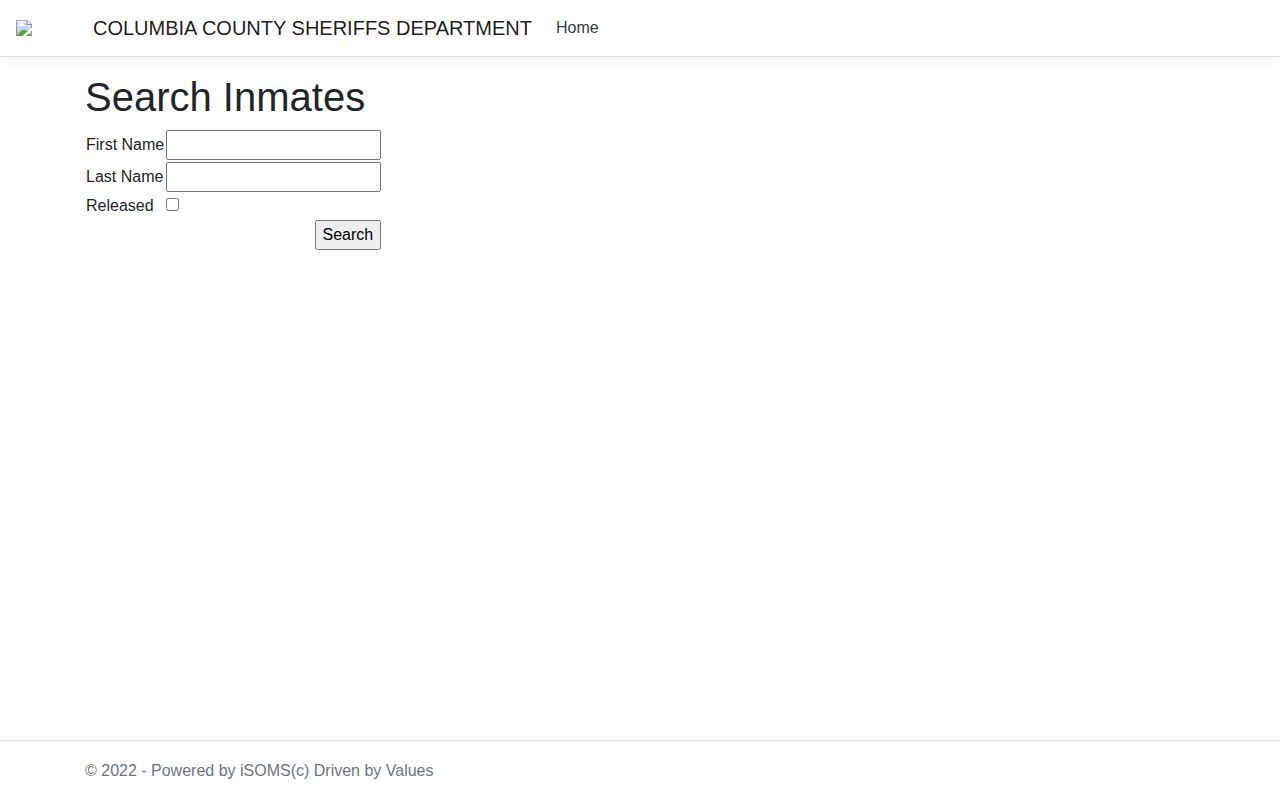
A Columbia County custody lookup is a starting point. It shows booking details, yet it cannot substitute for an actual VINE alert registration. Register while phone numbers and email addresses are still accurate. Write down the identifier you used along with the date you signed up. The service itself says keeping contact information current is the registrant's job. Phones that silence unknown callers tend to eat these notices. Check those settings first.
When an alert lands, reopen the live result before acting on anything. Call the holding office directly if the status change touches travel, a pickup, a court date, or personal safety. Write down the notice time. Include the status shown and which office confirmed it. Note: an alert prompts you to check custody again. It is not a certified record of any arrest.
Match the Right Identifier
Numbers do different jobs in Arkansas. An ADC number points to a state record, while a county booking number stays local. A court case number tracks the docket itself. Keep each one labeled with where it came from. Guessing at them can return a missed match or pull up the wrong person entirely.
Calling support works better with context. Say which service produced the identifier and what custody event you expected to see. Give only what they need to find the record. Then confirm the name and custody category before touching your alert registration.
Public Record Search
Sponsored Results